

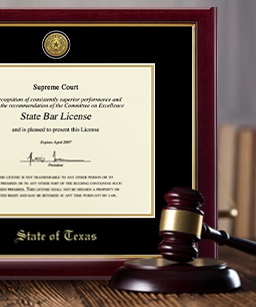
So, you’ve got a shiny new diploma after college or university graduation or another crisp certificate in your professional development—congratulations! It still smells of printer ink and signals about your achievements. Or perhaps you’ve already even framed it—a thumb up for you! And you’re so proud (as you should be!) and eager to shout it from the rooftops.
Guess what?
Social media platforms are your digital rooftops, and LinkedIn is one of the best ones to do just that. Why not show it off on LinkedIn? What’s stopping you?
This article will definitely convince you to use diplomas and certifications in your profile picture or background image (banner) on LinkedIn, explaining why and how.
Let’s go, shall we?
Why Feature Your Diplomas/Certificates in Your LinkedIn Profile Picture and Banner to Stand Out in the Scroll
“Wow, is that a Harvard Law School diploma?”
That’s how a LinkedIn user may stop mid-scroll to pay closer attention to the LinkedIn profile picture with the diploma in question.
However, it doesn’t necessarily have to be Ivy League diplomas or certificates to stop people from scrolling. The whole point lies in the standing-out phenomenon:
- It’s something you’ve achieved with hard work: People are usually curious to know what others do or have. That’s why personal storytelling (this time—visual) works.
- It’s something unique and exceptional: It’s one of a kind, as it has your name on it.
- It’s something remarkable or even stunning: Especially if you pick or design a custom frame for your diploma/certificate, which will instantly catch the eye and amaze.
Generally, it boils down to this. Practically everyone has a professional headshot on LinkedIn. But! Not everyone features a professional certificate or diploma in it—this makes you an outstanding scroll-stopper.
To Enhance Your Personal Branding (And Then, Your Brand Memorability)
Shining in your LinkedIn profile photo or background image, the diploma or certification is virtually a marker that notifies others about your professional identity: “This person is an MBA holder,” or “This person is PMP-certified.”
This way, you don’t brag—you brand. Your educational credentials become a part of your personal brand. They are like logos in business. You won’t trademark them, of course, but everyone will recognize and remember them on the spot as powerful visual cues that create a memorable personal brand.
Note: It’s especially significant for graduates building a strong personal brand and looking to get hired on LinkedIn. Many of them start with a polished resume template to organize their skills and education in a professional way. This approach helps present your qualifications clearly, emphasizes your strengths, and makes it easier for recruiters to see your potential.
To Highlight Your Expertise and Potential from the Very Start
“You don’t have to wait for people to “tunnel” down the page to finally see your “Education” or “Licenses & Certifications” sections. And again, if you want to land a job via LinkedIn, it saves recruiters a number of scrolls. This may not seem that important. Yet, from the psychological viewpoint, it reduces the cognitive load and is translated by the brain as something pleasant (because it’s easier to do). So, there you have it—a positive emotion associated with your name”, shares Emily Ruby, Owner at Abogada De Lesiones.
In any case, you may want to put your most recent certifications front and center. These can be:
- Registered Nurse License
- Scrum Master Certification
- Legal Certificate
- CPA License
- AWS Solutions Architect Certification
- Chartered Financial Analyst Certificate
- Or others.
“For one thing,” says Jeffrey Zhou, CEO and Founder of Fig Loans, “when you use diplomas and certificates in your LinkedIn profile picture and banner, you build credibility and authority as a qualified specialist or expert at first sight. For another, if it’s a newly received certificate, it also indicates you don’t stop learning and growing professionally. It’s one of the qualities employers seek in candidates.”
To Melt the Social Frost and Start the Talk
Yes, diplomas and certifications are great “frost-melters” or ice-breakers on social platforms like LinkedIn. They often serve as ice-breaking topics for starting a discussion.
So, what happens when people notice a diploma or certificate in your LinkedIn profile picture or background image? Suppose these could be your college/university alums, who are enthusiastic about networking with you, or recruiters looking for the right candidates.
For example:
Having noticed your diploma, an employer/recruiter is DMing you to ask about your career plans after graduation. And bam—the topic ball has been kicked down the communication field (and maybe the dream job is yours—who knows!).
5 Best Ways of Using Diplomas and Certificates in Profile Pictures and Banners on LinkedIn
1.) Take a Professional Shot with a Framed Diploma
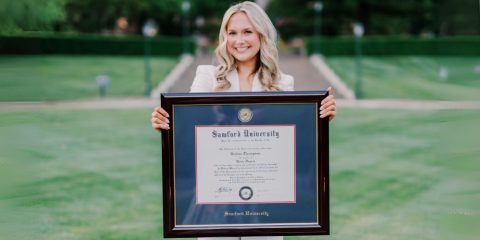
There’s something timelessly mesmerizing about a human smile and a beautifully framed diploma in the same shot in a LinkedIn profile picture.
Here are several tips to take such a photograph professionally and make your diploma the star supporting actor (where the star is you, of course):
- Choose a well-lit place. Ideally, set the stage with natural light.
- Dress up for the photo. Wear something that fits the moment perfectly. Your graduation gown? Great! A smart-casual outfit or suit? Also fine. Pajamas or gym shorts? Better not.
- Strike the pose. Hold your diploma frame confidently and proudly.
- Hire a photographer (if needed). If your budget allows, consider hiring a professional photographer who can guarantee a polished headshot for your LinkedIn profile.
2.) Add a Certification Badge
Why do you need one?
According to Nicolas Breedlove, CEO at PlaygroundEquipment.com, “Although tiny and typically placed in the corner, a certification badge is a powerful branding element and a mini-trophy to showcase in your LinkedIn profile picture or banner. It’s a great way to hint you’re an achiever without actually saying it out loud or typing a post about it on the platform.”
Some schools and course providers create official PNG badge icons through digital credentialing services like Credly. Let’s mention a few educational institutions that offer certification badges listed on Credly:
- The University of California, Irvine
- The University of Minnesota
- The University of Michigan
- The University of Arizona
- Penn State College of Engineering
For example:
Look at this badge issued by UC Irvine for proficiency in Python Programming.

If you’ve earned a similar badge, you can place one in the corner of your profile or background picture on LinkedIn. No worries, LinkedIn wouldn’t mind it as long as it doesn’t cover your face.
3.) Capture a Ceremony or Graduation Day Moment
Do you have a photo in your cap, gown, or other graduation regalia while holding your diploma amid or after the ceremony? Use it!
Ben Kruger, CMO at Event Tickets Center, sees it as a great chance to tell a celebration story and share the bliss of that day. “Graduations and award ceremonies are more than just events. They are touching moments and meaningful milestones. You worked hard to get to the moment when you’re finally on the stage receiving a well-deserved diploma or certificate. Now, there’s a splendid opportunity to let others experience the pride and joy behind it, even if it’s through the LinkedIn lens. Not to mention that such event excitement is hugely contagious.”
4.) Consider Your Background Design as a Collage or Wall Photo
But what if you have several framed licenses or diplomas?
The best variants of using them for LinkedIn banners would be in the format of collages or wall photos.
As a Collage
If you prefer showcasing a range of framed diplomas and certifications for your LinkedIn background image, consider create a collage of academic and professional certifications and licenses, along with photos from award ceremonies, for your LinkedIn banner.
Keep in mind: The recommended background photo size for LinkedIn is 1584 x 396 pixels. With these dimensions, it won’t look blurry on both desktop and mobile devices.
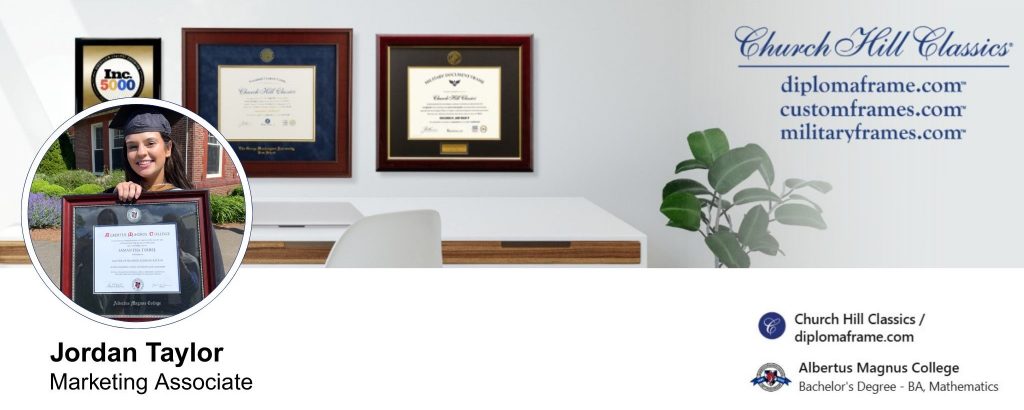
As a Wall of Framed Diplomas or Certificates
Adrian Iorga, Founder & President of 617 Boston Movers, observes, “Framed licenses or diplomas do look more impressive and authoritative when arranged on walls. If you want your LinkedIn profile to likewise impress, consider taking a photo of such a wall for your background image.”
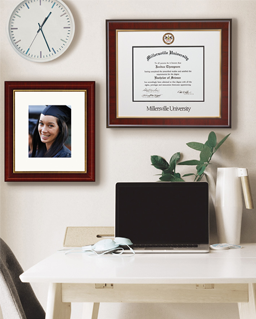
Your diplomas and certificates can be placed on:
For example:
If you haven’t done it yet, arrange your framed diplomas on a blank wall at home to make the picture more eye-catching thanks to a higher contrast. Then, take a quality photo and properly resize it for the required banner dimensions on LinkedIn.
5.) Regularly Update to Match the Right Sections and Keywords
First, make sure that all diplomas and certifications in your LinkedIn profile pictures and backgrounds are up-to-date. Got a new one? Bring it to the spotlight—why not?
Second, they should coincide with those mentioned in the “Education” and “Licenses & Certifications” sections. It terribly undermines your professionalism and credibility if there’s a mismatch.
Third, if you optimize your LinkedIn profile for higher keyword ranking and discoverability on the platform, they should also correspond to the keywords. Note: Some recruiters and employers “talent-hunt” for specific degree holders or graduates from particular universities. For this purpose, they may use the following search phrases: a “recent graduate with a degree in [Field of Study]” or a “[University] Class of [Year].”
Framing Diplomas for Profile Pictures and Backgrounds on LinkedIn
Haven’t you yet framed your certificate(s) or diploma(s) to pose for a photo session?
Then, it’s time to do that! Shop for diploma and certificate frames at Church Hill Classics and create ideal shots for your LinkedIn profile picture or banner. Let it whisper to every recruiter, client, or connection on LinkedIn: “I’m qualified… and I have excellent taste in framing, by the way.”