




Writing your first resume can feel daunting when you have no work experience and little idea of what a professional document should look like. Students often struggle with what to include: should it be a part-time job, a class project, or a club role? Even small formatting mistakes can make strong experiences look unpolished. The right resume builder solves both problems by pairing ready-made templates with step-by-step guidance, so you always know what to write and where.
Below are five resume builders worth trying: CVwizard, Enhancv, Resume.io, Novoresume, and Kickresume.
1. CVwizard
CVwizard is a resume builder platform designed for students who aren’t sure where to start. Its step-by-step builder guides you through each section of your resume, from education and skills to extracurricular activities and volunteer experience, so you never have to face a blank page.
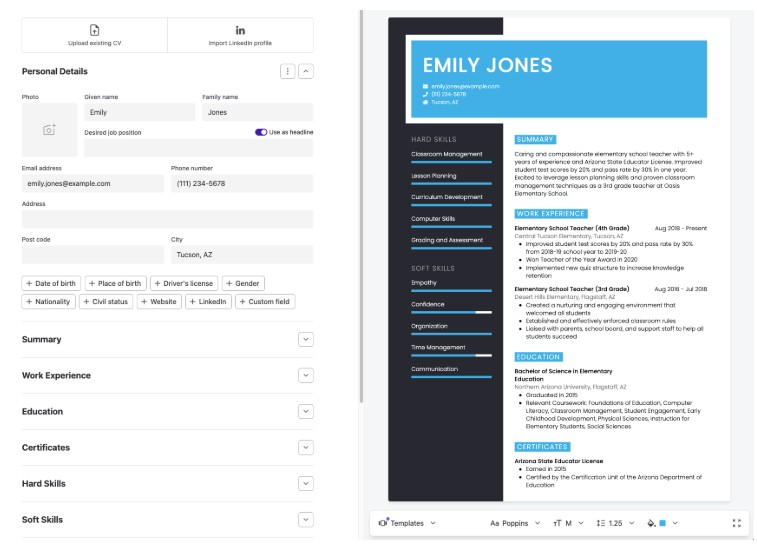
A live preview updates your chosen template as you edit, making it easy to see how your resume will look before you download it. The platform also offers a selection of free, professionally designed resume templates, with additional customization options available on paid plans to help you tailor your resume for different job applications.
Bundled tools: A matching cover letter builder, job vacancy alerts, and a built-in application tracker. Students can create a resume, discover job opportunities, and track their applications from one platform instead of switching between multiple tools.
Best for:
Students who want a guided, all-in-one platform to create their first resume, download it as a PDF, and start applying right away.
Pricing:
CVwizard offers a free plan, along with a 14-day trial for $0.99. The full plan costs $19.99 per month, with quarterly and annual subscriptions available at a discounted rate.
Pros:
- Step-by-step guidance that eliminates blank-page overwhelm
- Free professionally designed resume templates
- Free plan that lets you create and download a PDF resume
- Built-in cover letter builder, job alerts, and application tracker
- ATS-friendly resume templates with a real-time live preview
Cons:
- The free plan includes fewer features and customization options than the paid plans
2. Enhancv
Enhancv is built around bold, modern templates that stand out from a stack of standard black-and-white resumes, making it a strong choice if you’re applying for creative programs, internships, or roles where first impressions count.

Each section includes built-in content guidance, so you’re never left wondering how to phrase a bullet point or what belongs under your skills section.
One of Enhancv’s biggest strengths is its focus on candidates with limited work experience. It includes dedicated sections for internships, class or personal projects, and skills, making it easier to showcase your potential even without an extensive employment history.
Bundled tools: An AI content analyzer that reviews your wording and structure, an ATS resume checker, and a matching cover letter builder to ensure your resume and cover letter share a consistent design.
Best for:
Students who want a visually distinctive, design-forward resume to stand out in creative or design-related applications.
Pricing:
Enhancv offers a 7-day free trial with access to all templates, although downloaded resumes include Enhancv branding and are limited to 12 sections. Paid Pro plans start at $24.99 per month, dropping to roughly $16.66 per month on the quarterly subscription and about $13.33 per month if you commit to six months.
Pros:
- Distinctive, modern template designs
- Strong sections for internships, projects, and skills
- Built-in content suggestions for each section
- No credit card required for the trial
Cons:
- No free plan without watermarking
- Exports are limited to PDF; Word documents are not supported
3. Resume.io
Resume.io strips resume building down to the essentials. Its drag-and-drop builder lets you rearrange sections in seconds, while its extensive template library offers everything from minimal, text-focused layouts to more visually appealing designs, giving you plenty of options to choose from.
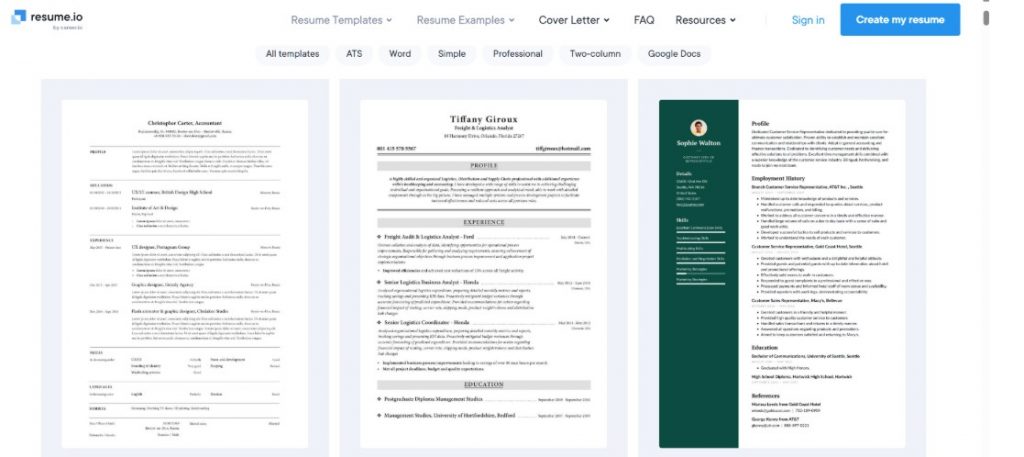
A built-in spell checker catches typos before you download your resume, helping you avoid small mistakes that can leave a poor first impression.
For students, the biggest advantage is speed: most can build a complete resume in well under 30 minutes.
Bundled tools: Every template pairs with a matching cover letter design. Premium plans also include a job application tracker, AI interview prep, and a First 90-Days planning guide to help you transition into your new role.
Best for:
Students who want a fast, straightforward way to put together a clean, professional resume without learning design tools.
Pricing:
The free plan lets you create one resume and cover letter, but downloads are limited to plain text. A 7-day trial costs around $2.95 and auto-renews into a monthly subscription unless canceled. Six-month and annual plans are also available and offer a lower monthly cost.
Pros:
- Fast, drag-and-drop resume builder
- An extensive library of resume templates
- Built-in spell checker
- Matching resume and cover letter templates
Cons:
- The free plan only allows plain-text downloads
- Trial automatically renews unless canceled
4. Novoresume
Novoresume keeps its templates clean and uncluttered, prioritizing readability over flashy design. It’s a great fit for students who want a professional-looking resume without a steep learning curve.

The free plan lets you create and download a one-page resume using a limited selection of templates without entering your payment details. Novoresume also offers industry-tailored content suggestions to help you use the kind of language recruiters expect in your field.
Another standout feature is its library of resume examples skewed toward entry-level roles and internships to help you understand how to present limited experience effectively.
Bundled tools: A matching cover letter builder (Premium only), along with career resources such as guided writing tips and a job search masterclass to help you make the most of your resume.
Best for:
Students on a tight budget who want a usable free resume builder before committing to a paid plan.
Pricing:
Premium unlocks the full template library, multi-page resumes, and the cover letter builder. Its paid plan costs $21.99 per month, and about $13.33 per month on the quarterly plan, and roughly $11.67 per month on the annual subscription.
Pros:
- Usable free plan with no payment details required
- Clean, readable templates
- Resume examples tailored to entry-level roles and internships
- No trial auto-renewal on paid plans
Cons:
- Free plan limited to a one-page resume and a small selection of templates
- Cover letter builder is only available with Premium
5. Kickresume
Kickresume leans heavily on AI to help you get past the blank page. Simply enter your job title, and the AI Resume Writer generates sample content and bullet points to help you get started, especially useful if you’ve never had to describe your experience professionally. You can also import your LinkedIn profile, automatically pulling in your education and any experience instead of retyping it manually.
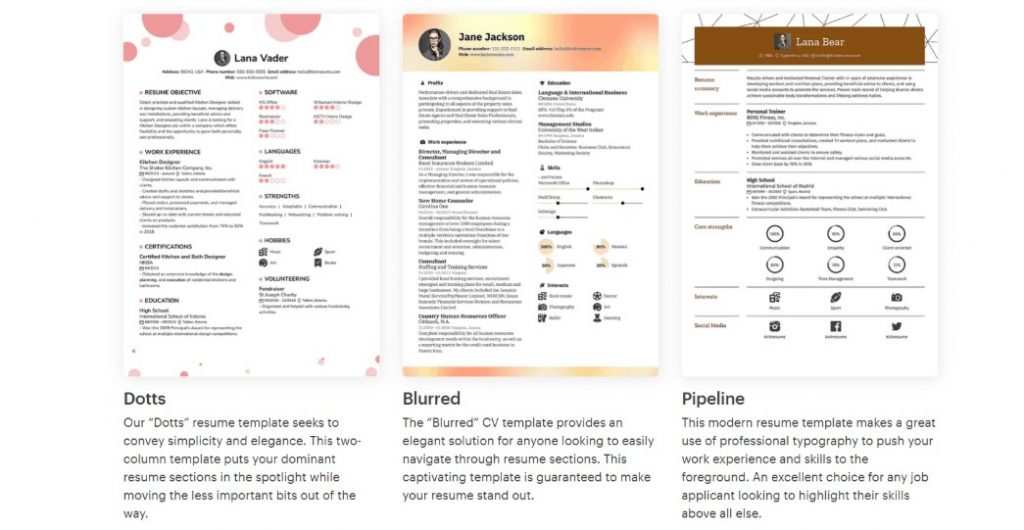
For students creating their first resume with little or no work history, Kickresume’s AI suggestions help fill in the gaps by turning class projects, volunteer work, and other relevant experiences into polished, resume-ready descriptions.
Bundled tools: A matching cover letter creator, an ATS resume checker, and a personal website builder that transforms your resume into a shareable online portfolio.
Best for:
Students who want AI assistance to write their first resume and aren’t sure how to describe their experience.
Pricing:
The free plan includes a limited selection of templates and unlimited downloads, but the AI writer and ATS checker are only available with Premium. Paid plans start at $24 per month, drop to $18 per month on the quarterly plan, and go as low as $8 per month with an annual subscription. Students who verify their status through ISIC, ITIC, or UNiDAYS can access Premium for free.
Pros:
- AI-generated resume content based on your target job title
- LinkedIn import reduces manual data entry
- Large resume template library (40+)
- Bundled cover letter builder
Cons:
- AI resume writer and ATS checker require a Premium subscription
- The monthly plan is costlier than many competitors
Conclusion
Choosing the right resume builder comes down to your priorities. If you’re looking for an all-in-one platform to create your resume, write a matching cover letter, and manage your job applications, CVwizard is the strongest choice.
Enhancv is ideal for students who want a resume with a more distinctive design, while Resume.io is best for creating a polished resume quickly. Novoresume is a great budget-friendly option, and Kickresume stands out if you want AI assistance to write your first resume.
Whichever tool you choose, don’t overthink your first draft. Pick a resume builder, fill in the experience you have, and start applying. You can refine your resume as you gain new skills and experience.