




At every graduation party there is a moment when the room goes quiet. The lights go down, the images start playing on the wall and suddenly a decade of memories is right there in front of everyone. A good graduation slideshow does that. In the background is a poorly built one, people getting seconds and talking over it.
The change is hardly in the photographs themselves. It’s the way the material is arranged, the music that carries it and whether anyone has thot about the sequence and pacing. Most graduation slide shows that don’t fly have the same problems: too many pictures, no clear structure, and thoughtless music selection.
That’s why the prep is as important as the execution. Before opening any tool, the content should be collected, the arc should be determined, and the running time should be arranged. Only then the real build goes easily.
Getting Started
Sometimes the celebration is days away and there is just no time to assemble everything from scratch. In these circumstances, it is logical to use technologies that speed up the structural element of the process. One of the possibilities to examine is the Decksy AI slides maker, a useful and free AI presentation generator (only 1 generation is free, though) that gets you clean slide layouts from your written material or from your organized notes – you write the sections, the graduate’s tale, the significant milestones and the technology creates a formatted deck that you then populate with the actual images. Interpretation and personal content is all your own. What becomes automated is the formatting layer that otherwise takes hours before a deadline.
Once the fundamental structure is in place, the following step is to ensure that the content really fills it well.
First, collect your content.
The first job is to decide what the slideshow is actually going to say. Every picture has to have a reason for being there.
How Much to Collect, And What to Collect
Aim for 60-100 images spanning all years, enough to establish a story, but not so many that the audience is lost. Mix solitary images with group shots, serious moments with candid ones.
A practical technique to split the content:
First years – childhood and pre-school images, the graduate as a little boy. These hit hard early in the slideshow.
First day of school – pictures, field trips, plays, sports teams, academic honors. Good here: certificates and scanned honors.
Senior Year – prom, senior portraits, events, friendships, last semester.
Graduation day itself – cap and gown, ceremony, diploma photographs, family moments.
Looking ahead – a couple of slides with achievement quotes, words regarding the future, or the graduates small talk, ends the graduation slide show on a powerful note.
If you’re collecting images from a lot of relatives or friends, make a shared album early. It works with Google Photos or Apple Shared Albums. A tag in the album name helps, something like “Emma-Grad-2025” keeps submissions sorted.
Design Before Structure
A graduation slideshow without a structure is merely a photo dump. There is a reason the chronological method is best: it is how memory actually works. The chamber recalls the early years, and then the story goes on. That flow from history to present to future lends emotional forward propulsion.
The rough structure is something like this:
Act | Content | Estimated Length |
Introduction | Baby/early childhood pictures | 2-3 slides |
Building | Elementary & Middle School Years | 8-12 slides |
Center | High school memories, buddies, activities | 15-20 slides |
Max | Senior year and graduation day | 10-15 slides |
Close | Future Plans; Quote; Last Picture | 2-3 slides |
10-15 seconds on each slide is a reasonable pace. At that rate it takes around 12-15 minutes for 60 photos – long enough to feel complete, short enough to maintain attention.
Music: The Part Most People Don’t Think About

The music plays into how people feel about every picture they look at. Best photographs feel flat with the wrong music. Good music, and the room goes quiet.
Couple of concepts on how to make a graduation slideshow with music:
Sync tempo to action. Other, slower, emotive songs for childhood. Energy of building as the slideshow goes through high school. Something uplifting/celebratory for the graduation sequence.
Use 2-3 songs total instead of a long song or a new track for each section. Transitions between songs can be jarring,
Check. Copyright. Most music is okay for a private, home screening of the slideshow. If it’s at a venue, or being posted publicly use royalty free sounds. There are YouTube Audio Library, Pixabay Music and Free Music Archive to select from.
Volume balance matters. The music should be audible, but no louder than any narrative or video clips that are included in the slideshow.
Popular options that tend to work: “Golden” by Harry Styles, “Good Old Days” by Macklemore, “See You Again” by Wiz Khalifa, “The Best Day” by Taylor Swift for family-focused slideshows. If you want something less predictable, check out the graduate’s actual playlist – personal music always beats generic graduation tunes.
Ideas to Borrow for Senior Slideshows
To make senior slideshow presentations, and even graduation more memorable, consider adding a few things beyond the usual photo and music format:
Interview snippets. A 10-15 second film of each of the close friends of the graduate saying “what do you remember most?” plays nicely in a crowd.
Teacher messages. Even if it’s only text, a sentence or two on screen from a favorite teacher means something.
First day/final day compare. First day of kindergarten and last day of senior year. Crowd’s turn to lean.
Captions and sayings. Short captions on milestone photographs – the date, the event, a quick note – add context without breaking the visual flow. Natural chapter break is motivational quotes in between sections.
Next slide, please. A slide featuring the graduate’s college, trade school or plans, and a photo that depicts where they are headed. Gives a forward-looking conclusion to the graduation slideshow rather than finishing at the ceremony.
The Last Screen and Its Aftermath
The final image is more important than most people realize. One strong photo alone, a close portrait from graduation day, the diploma or an early childhood shot that mirrors the opening slide provides a gratifying conclusion to the slideshow. Pair it with a meaningful comment or just a simple “Congratulations [Name]” and let it linger on screen longer than the rest.
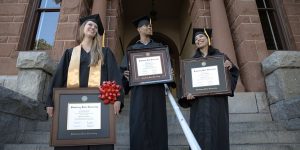
“After the party, the slide presentation itself is worth saving. Export it as a video file, and keep a copy somewhere permanent. Photos of the diploma and academic achievements can travel somewhere more permanent than a hard disk – framed certificates and diplomas on a wall have a way of outlasting the digital information. The good slideshow covers the entire arc of the adventure. It stopped where a framed diploma sits on the wall.
Graduation celebrations are speedy. The slideshow is typically the only time in the evening that slows things down and allows folks to properly look at what was done. It’s worth getting it right.