




Every team has experienced that awkward situation: an important call ends, decisions are taken, timelines are agreed upon, and after a week, nobody recalls the exact words. Imagine that happening after every meeting, interview, briefing, and compliance review; the price could be costly.
Contemporary teams are cleverly solving this problem by making their discussions available as searchable text archives, thus saving tons of hours weekly and minimizing duplication of efforts. In fact, the adoption of AI transcription is said to reduce meeting times by 25% and increase efficiency by 30%.
In workplaces that are constantly bombarded by alerts, devices, and pressure, transcription has now become a way of retaining control over the story. Let’s help you maintain this relevance in 2026 with our list of transcription software.
1. Happy Scribe: Structured transcription for teams
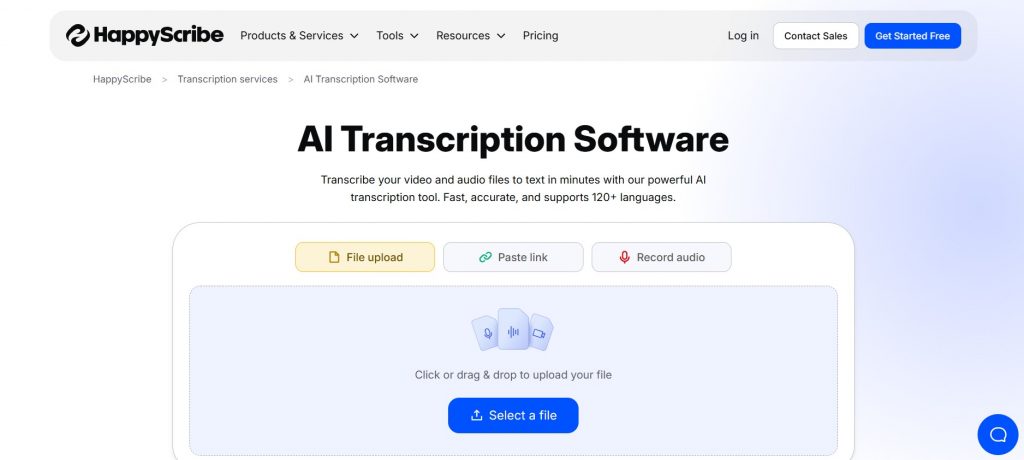
Transcription can’t be just a plain text document if your team is dealing with interviews, meetings, or recorded conversations that they want to share, check, and use again. In such situations, a transcription software like Happy Scribe is a logical match for companies that are trying to combine speed, accuracy, and teamwork in their operations.
Generally, teams put up recordings from meetings, research interviews, training, or internal evaluations, and work on transcripts together. Happy Scribe is mainly relied upon for speed, whereas human revision is saved for material that requires higher accuracy or is for external distribution.
The main highlights include:
- Strong balance between AI speed and human accuracy
- Clean collaboration features: comments and shared access
- Export formats suitable for compliance and reporting
- Supports multilingual teams and global operations
Limitation: Human-reviewed transcripts are more expensive and take longer than AI-only ones.
Best suited for: Teams or enterprises that need reliable, auditable transcripts.
2. Otter.ai: Real-time meeting capture at scale

In companies filled with never-ending meetings, the real problem lies in keeping the memory of the talks and decisions made. Otter.ai aims to help teams record live meetings so that they don’t have to rely on their memory or gather random notes.
It’s mainly used for company meetings, client interactions, and training sessions. After a session is completed, the participants go through the transcripts to get points from the decisions, or even to find a part of the discussion without having to listen to the entire recording again.
The main highlights include:
- Transcribes speech to text during the meetings
- Works well with the most popular video conference platforms
- Quickly finds the required information in large transcript databases
- New users have no trouble getting familiar with it
Limitation: Accuracy drops when a conversation is full of technical terminology, people with strong dialects, or speakers who talk at the same time.
Best fit for: Teams that conduct meetings daily and whose main concerns are speed and recall of events.
3. Rev: High-accuracy transcription for critical content

Some conversation types need to be documented word for word, such as interviews, legal conversations, executive briefings, or formal statements. Rev is a popular choice in these cases since it focuses on accuracy with human transcription.
Typically, users upload recordings and get transcripts that have been thoroughly reviewed with clear turnaround expectations. The platform is less about collaboration and more about creating defensible, polished texts.
The main highlights include:
- Extremely high accuracy for complicated or nuanced speech
- Reliable turnaround times
- Appropriate for legal, research, or formal documentation
- Easy pricing and delivery
Limitation: Slower and more costly than AI-first tools, with only limited workflow features.
Best suited for: Organizations that prioritize accuracy and clarity over speed and automation.
4. Trint: Collaborative transcripts for research and content teams

When transcripts are included as one of the elements in the research or content cycle, simply editing does not suffice. Trint is a tool created for teams that analyze, tag, and collaborate on transcripts for an extended period.
Researchers, journalists, and analysts are among the people who use it to highlight the themes, extract the quotes, and arrange the discussions of the long conversations. Transcripts instead of the ready documents become the living, working files.
The main highlights include:
- Strong collaborative editing and tagging tools
- Useful for qualitative analysis and research workflows
- Clean interface for long, form transcripts
- Supports team-based reviews
Limitation: The accuracy of AI is influenced by the quality of audio and the clarity of the speakers.
Best suited for: Research, editorial, and analysis teams working with interview-heavy material.
5. Descript: Text-based editing for audio and video

Descript sees transcription through the lens of production. Rather than handling transcripts as mere records, it provides users with a facility to control audio and video just as they would text.
Teams use it mainly for elevating the quality of their recorded presentations, internal training materials, podcasts, or explainers. It’s really handy when the content has to be polished prior to the distribution.
The main highlights include:
- Turn around videos and audios just by subtracting or adding text.
- Significantly reduce the time you spend on creative production.
- No need for highly skilled editors anymore.
- Great for both internal and external communications.
Limitations: Not a tool for high-accuracy documentation or a formal record.
Best fit for: Content creators, educators, and teams that are engaged in the production of recorded materials.
6. Sonix: Fast multilingual transcription at scale

Companies running operations in different regions usually require a transcription service that can proficiently cater to multiple language needs in no time. Sonix is a popular choice in situations where the amount of work and the time for the turnaround are more important than perfect phrasing.
Teams are uploading a large number of recordings, like meetings, interviews, or presentations, and then trust the search and export features to handle the recordings.
The main highlights include:
- Excellent multilingual transcription capability
- Fast turnaround for big workloads
- Transcripts are searchable, and there are varied ways to export
- On-scale competitive prices
Limitation: It’s still necessary to manually go through sensitive or highly technical content.
Best fit for: Compliance-driven global companies with a large amount of recorded material.
7. Fireflies.ai: Automated conversation documentation

Small teams with heavy and time-consuming tasks must build resilience to stay competitive. A tool like Fireflies can minimize manual work by starting to record and transcribe meetings automatically once connected to calendars or conferencing tools.
This tool can continuously capture their discussions, even when participants forget to take notes. Gradually, it turns into a searchable repository of conversations.
The main highlights include:
- Auto meeting recording and transcription
- Searchable conversation history
- Compatible with popular collaboration platforms
- Set up and maintenance simplicity
Limitation: Very few transcription control and formatting options.
Best suited for: Teams that prioritize completeness and automation over customization.
8. Verbit: Enterprise transcription with governance focus

Large organizations strive to stay updated with changing system architecture. They often require transcription that aligns with their internal policies, meets accessibility standards, or complies with regulatory rules. Verbit fuses AI with human expertise and enterprise-level controls.
Such transcripts are usually necessary when a certain quality or compliance level is required for transcripts, rather than for normal note-taking.
The main highlights include:
- Blend of AI and human transcription workflows
- Enterprise-grade security and governance features
- Suitable for accessibility and compliance needs
- Scales across large organizations
Limitation: Heavy onboarding and pricing compared to lightweight tools are the downsides.
Best fit for: Enterprises with formal documentation and accessibility requirements.
9. Deepgram: Transcription as infrastructure
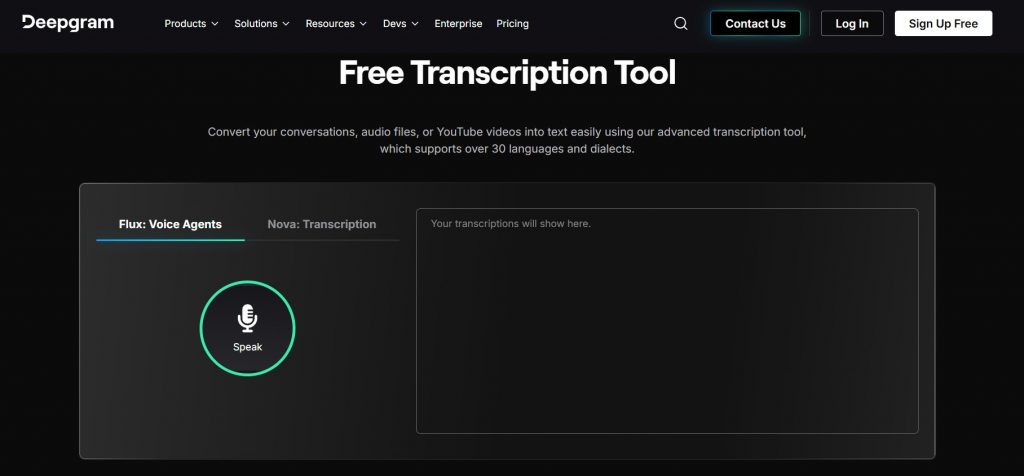
Some companies aren’t interested in having a transcription interface; they want transcription to be embedded in their systems. If this sounds familiar, Deepgram offers speech-to-text to developers as an API.
Engineering folks put it into the products, analytics pipelines, or internal tools, and adjust how transcription is done and kept.
The main highlights include:
- Flexible, developer-friendly API
- Handles very large datasets
- Customizable models and workflows
- Compatible with modern data pipelines
Limitation: It requires technical resources; it’s not a ready-to-use solution.
Best fit for: Teams that develop custom platforms or products that require transcription.
Why Transcription Matters for Every Team
Is the hype around transcription tools a mere fuss or fact? Meetings, interviews, and recorded conversations are common in workplaces. They provide a great source of valuable information. However, the details usually get lost after some time.
Transcription fills that void by converting the spoken content into records that are searchable and can be shared. In the long run, this helps teams to retain information, eliminate mistakes, and make faster decisions.
A dependable process guarantees that each dialogue is preserved and can be effectively utilized, regardless of whether it is for research, documentation, or collaboration.
Maximize Value from Every Conversation
Have this at the back of your mind: No one transcription tool can satisfy all workflow needs. Some focus on speed, while others are built for accuracy, collaboration, or scalability.
The right one is determined by the way the conversations are going to be used as quick references, research inputs, polished records, or reusable knowledge.
When teams comprehend the compromises of each platform, they’ll likely select tools that silently help make decisions rather than generating more work.